Connect a heart rate monitor
Note: This guide is for the new iOS app (v.7+). Click here for Android & Legacy iOS versions.
Ready to see your heart go to work in real-time? You can now track your heart rate live in the FightCamp App. FightCamp can pair with most Bluetooth Heart-Rate Monitors including the Apple Watch.
To connect a heart rate monitor in FightCamp, follow the steps below:
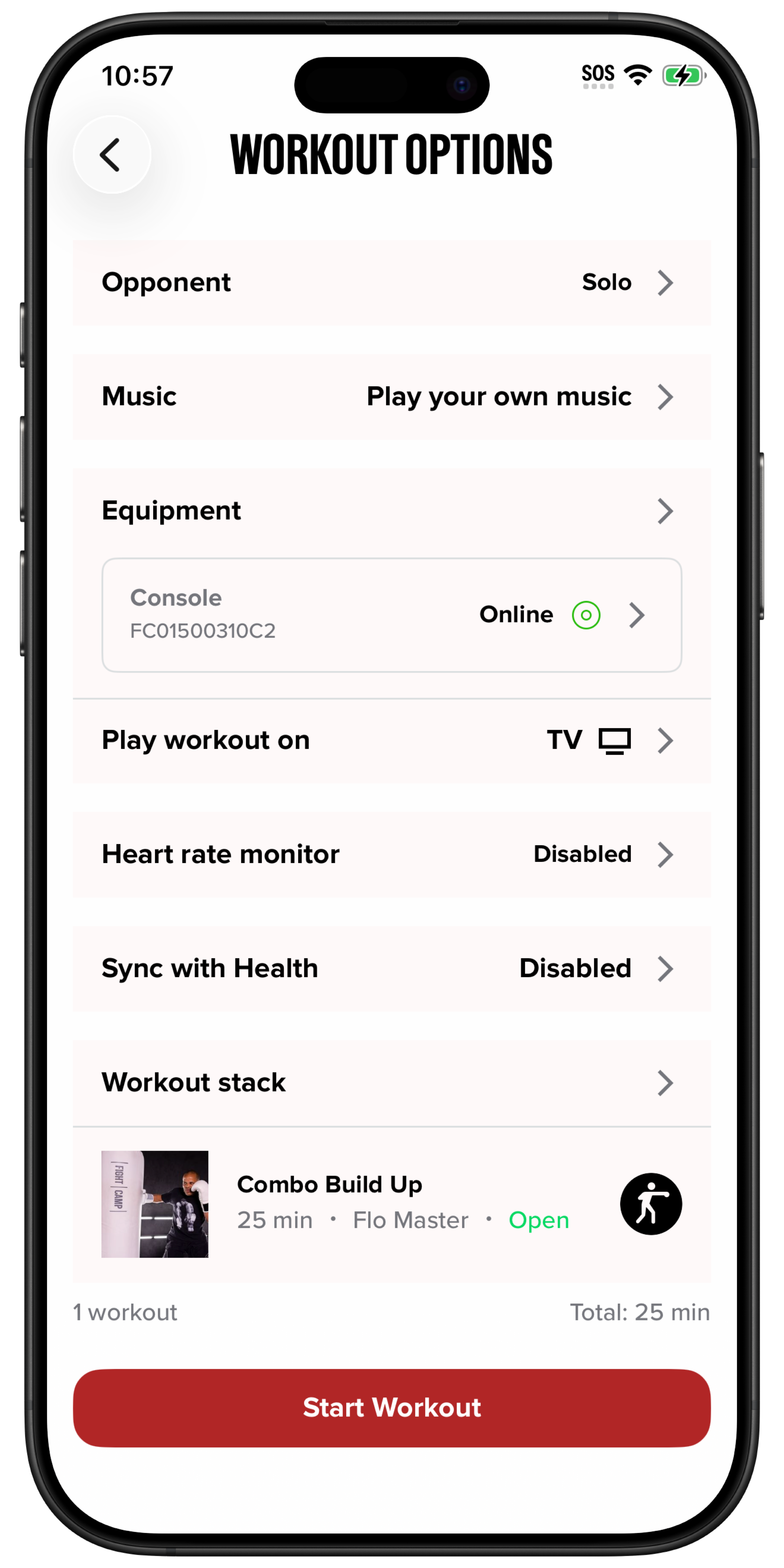
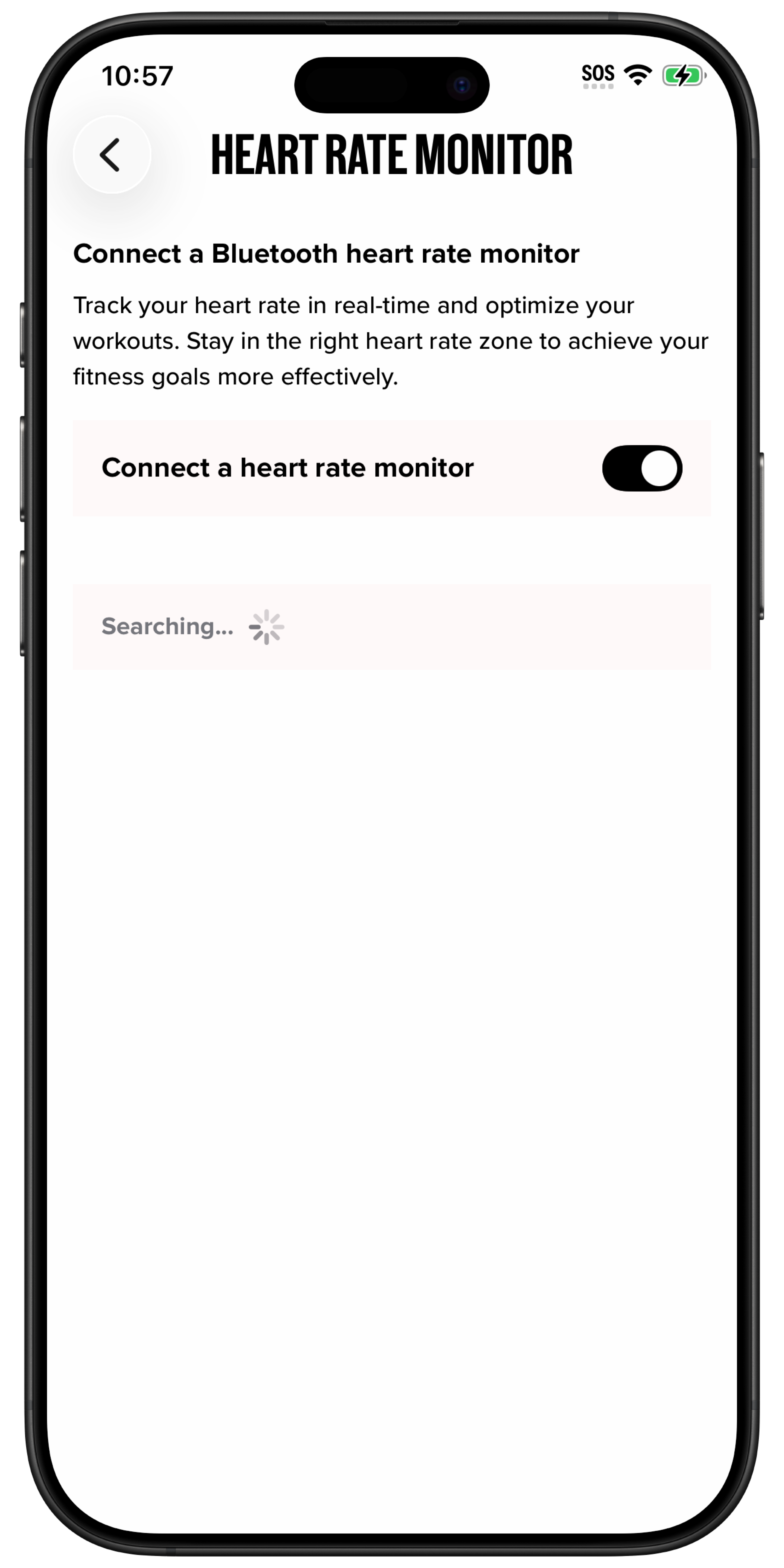
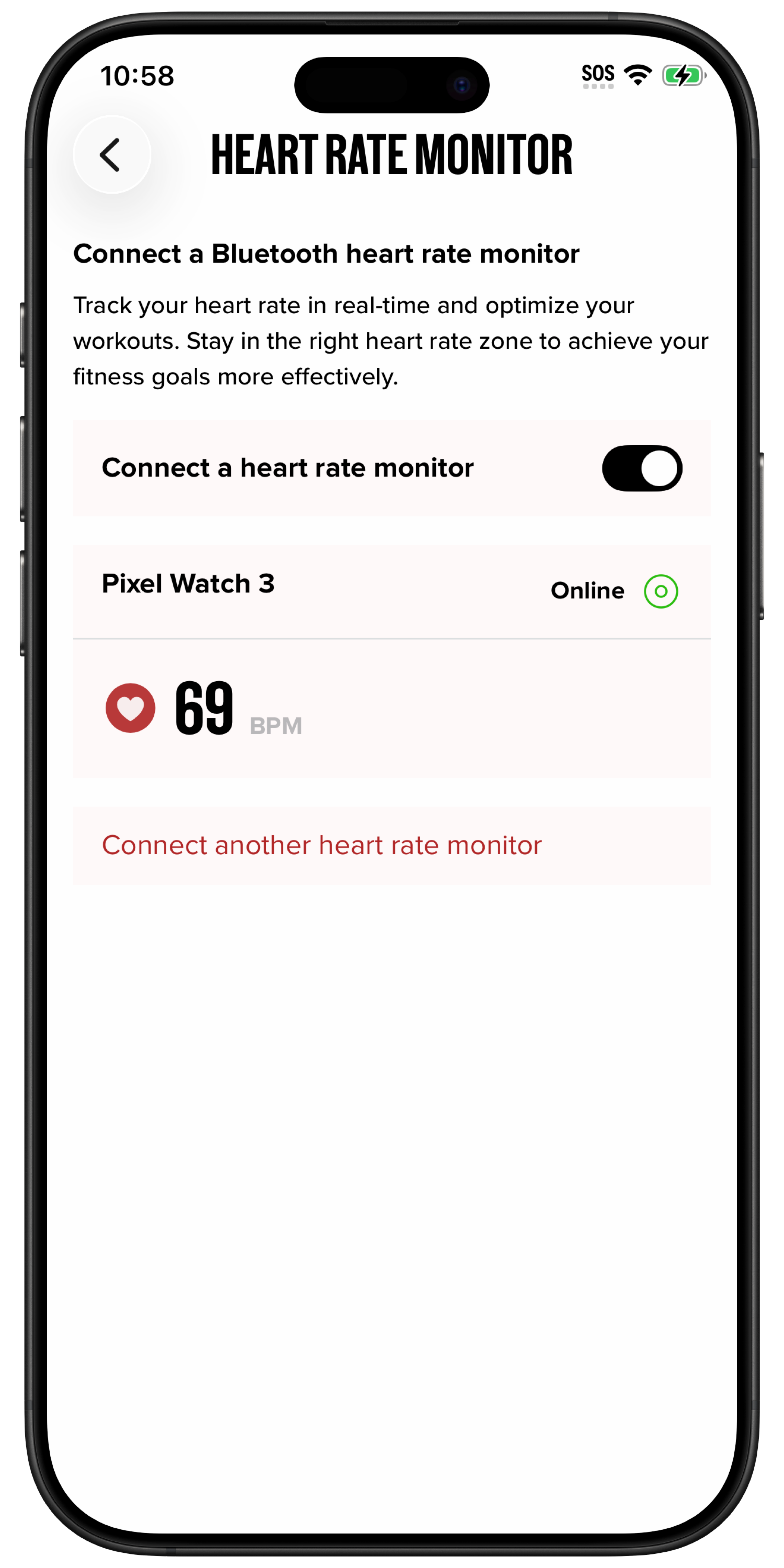
From the Workout Options screen, tap the Heart Rate Monitor section. Ensure your monitor is turned on and in pairing mode.
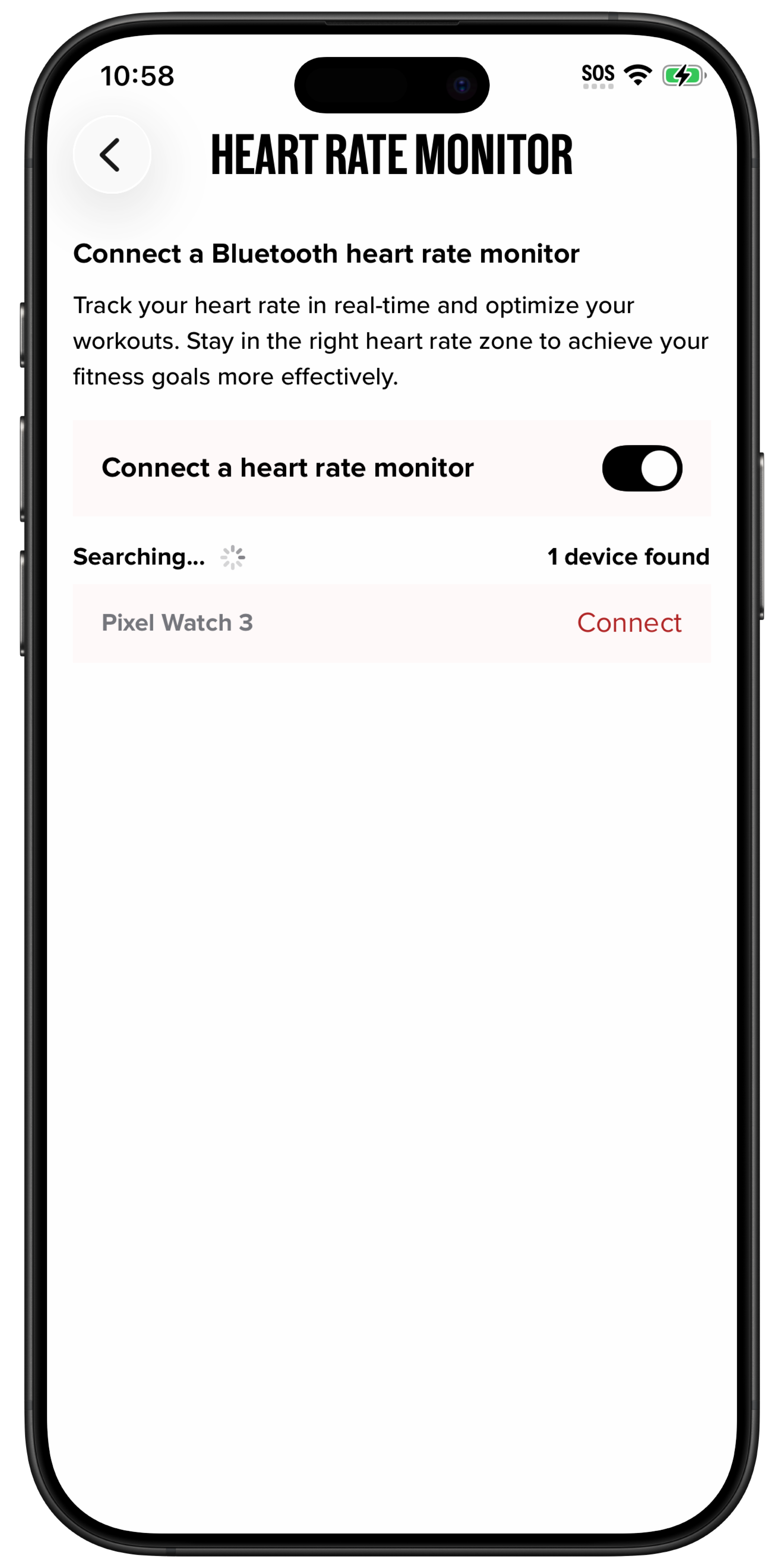
Select your heart rate monitor from the list of available devices and tap Connect.
After a few seconds, your heart rate monitor should be connected, and you should see your heart rate in the app.
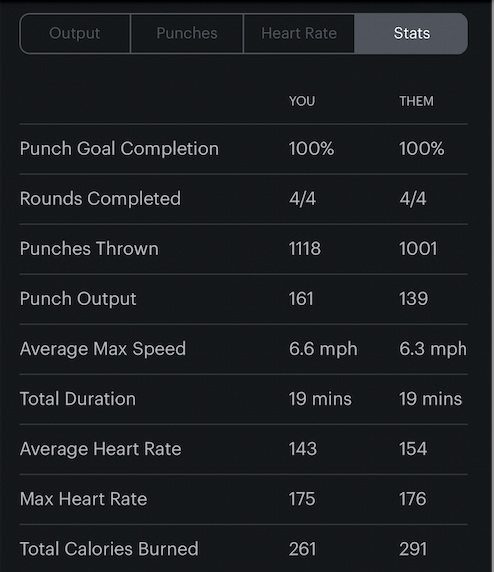
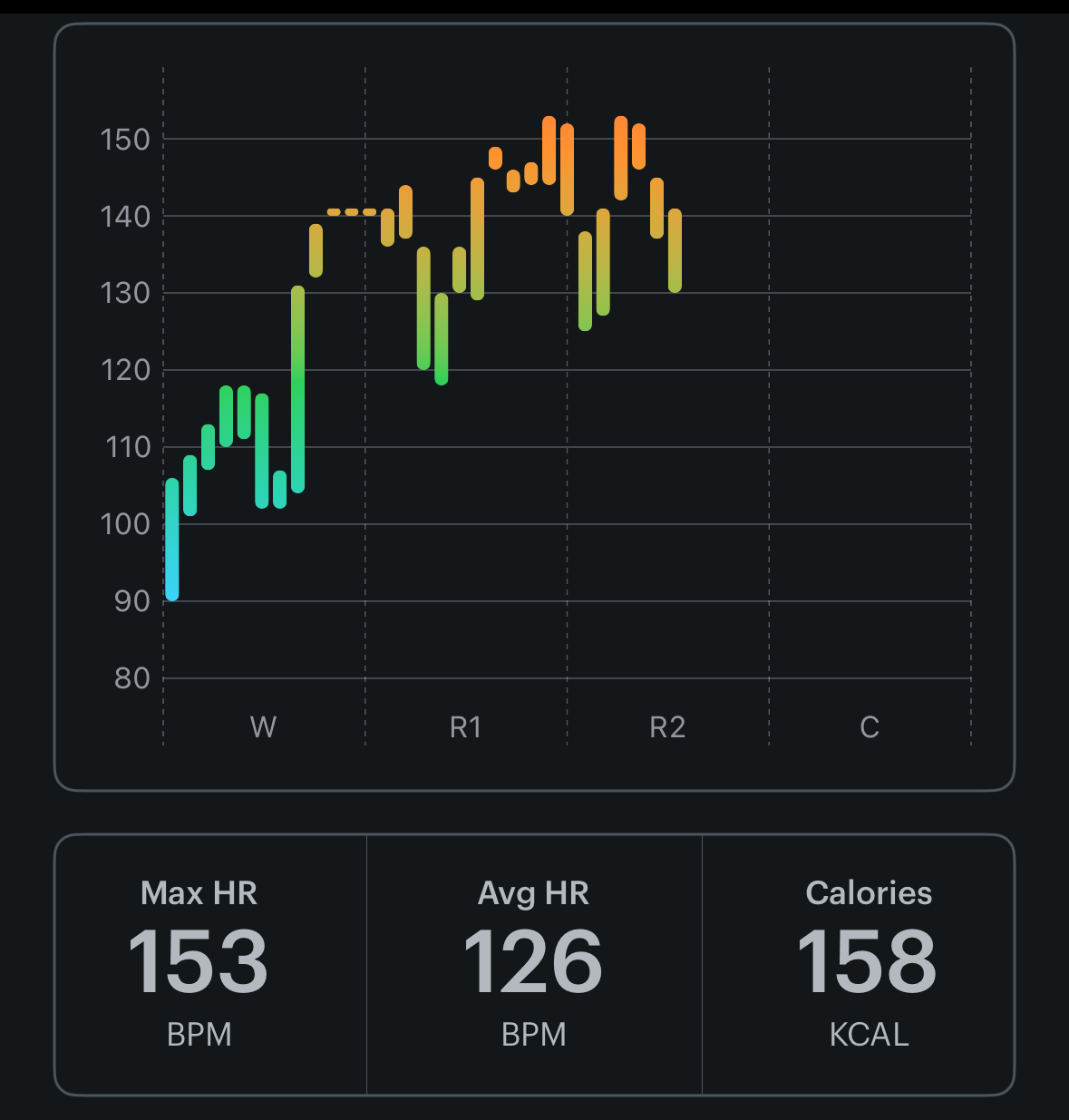
Once a workout is completed, you can view your heart rate throughout each round, as well as updated stats that now include calories burned. Note that to calculate calories accurately, you need to specify your gender, weight, and date of birth in your profile.
Instructions for Android & Legacy iOS App
Ready to see your heart go to work in real-time? You can now track your heart rate live in the FightCamp App.
FightCamp can pair with most Bluetooth Heart-Rate Monitors including the Apple Watch.
To connect a heart rate monitor within FightCamp follow the instructions below:
1. From the Workout Setup Screen, tap on the Heart Rate Monitor tab. (Please ensure the monitor is turned on and in pairing mode).
2.Select "HRM Not Connected" to choose the HRM you would like to use in the workout.
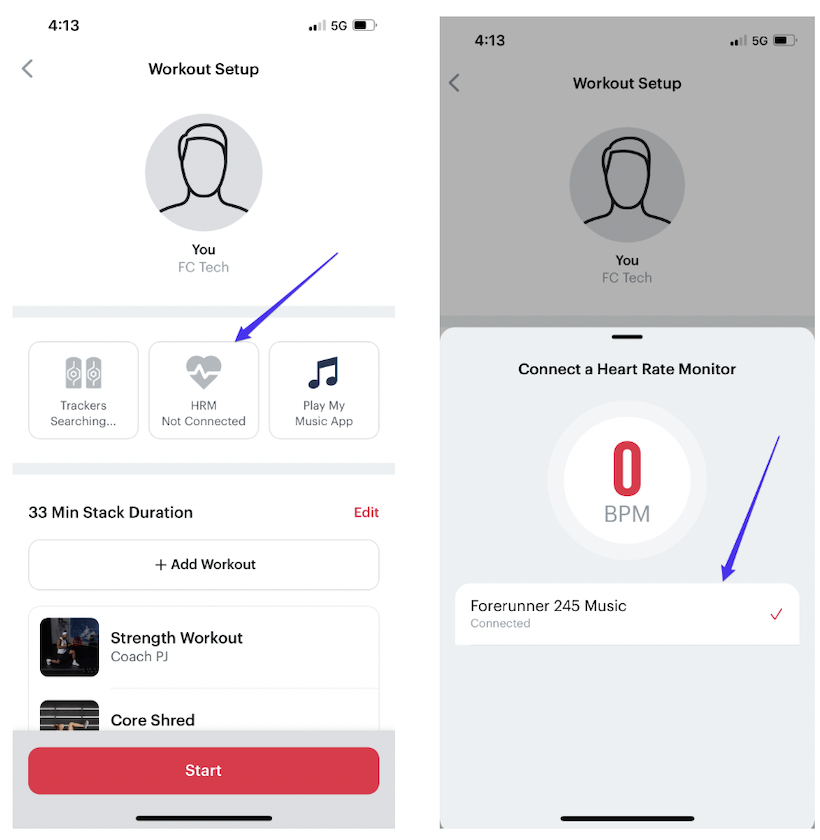
3.Once the monitor is connected, please follow the on-screen instructions after selecting “Add my info”
-
Gender
-
Weight
-
Birthday
Date of birth and weight information needs to be entered with numeric values only.
Once a workout is completed, you can view your heart rate throughout each round as well as stats that now include calories burned.