Connecting 1st Generation Punch Trackers
Note: This guide is for the new iOS app (v.7+). Click here for Android & Legacy iOS versions.
THIS ARTICLE IS FOR FIGHTCAMP 1ST GENERATION TRACKERS ONLY.
Settings Check:
Download the latest version of the FightCamp app.
Ensure Bluetooth is enabled on your mobile device and that FightCamp has Bluetooth permissions enabled.
Connecting / Pairing the Trackers:
Make sure your trackers are charged. We recommend plugging them into the charger to verify they are charging before attempting to connect.
Open the FightCamp app.
Select a tracked workout (boxing or kickboxing) and tap Continue.
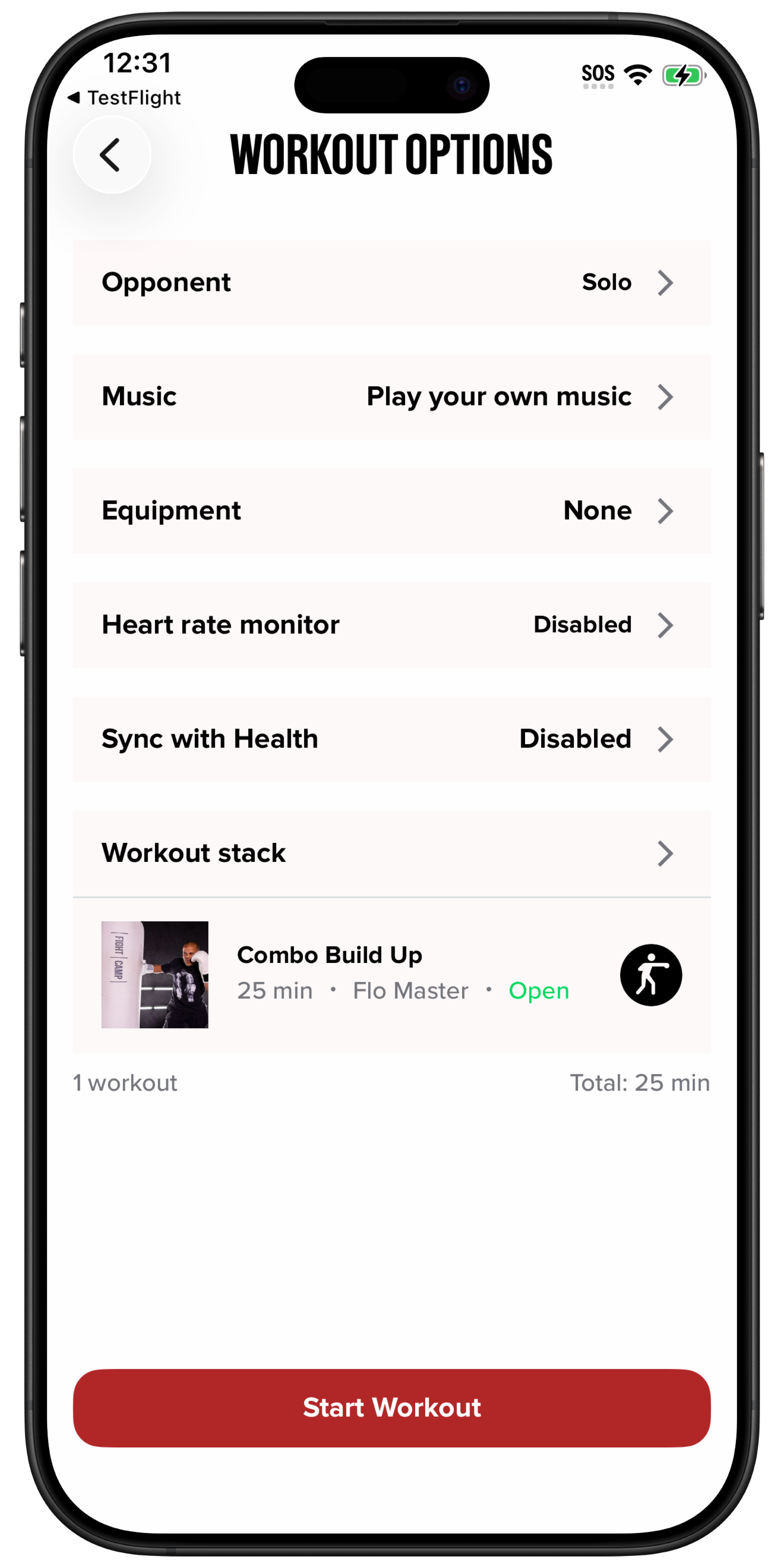
On the Workout Options screen, tap the Equipment section.
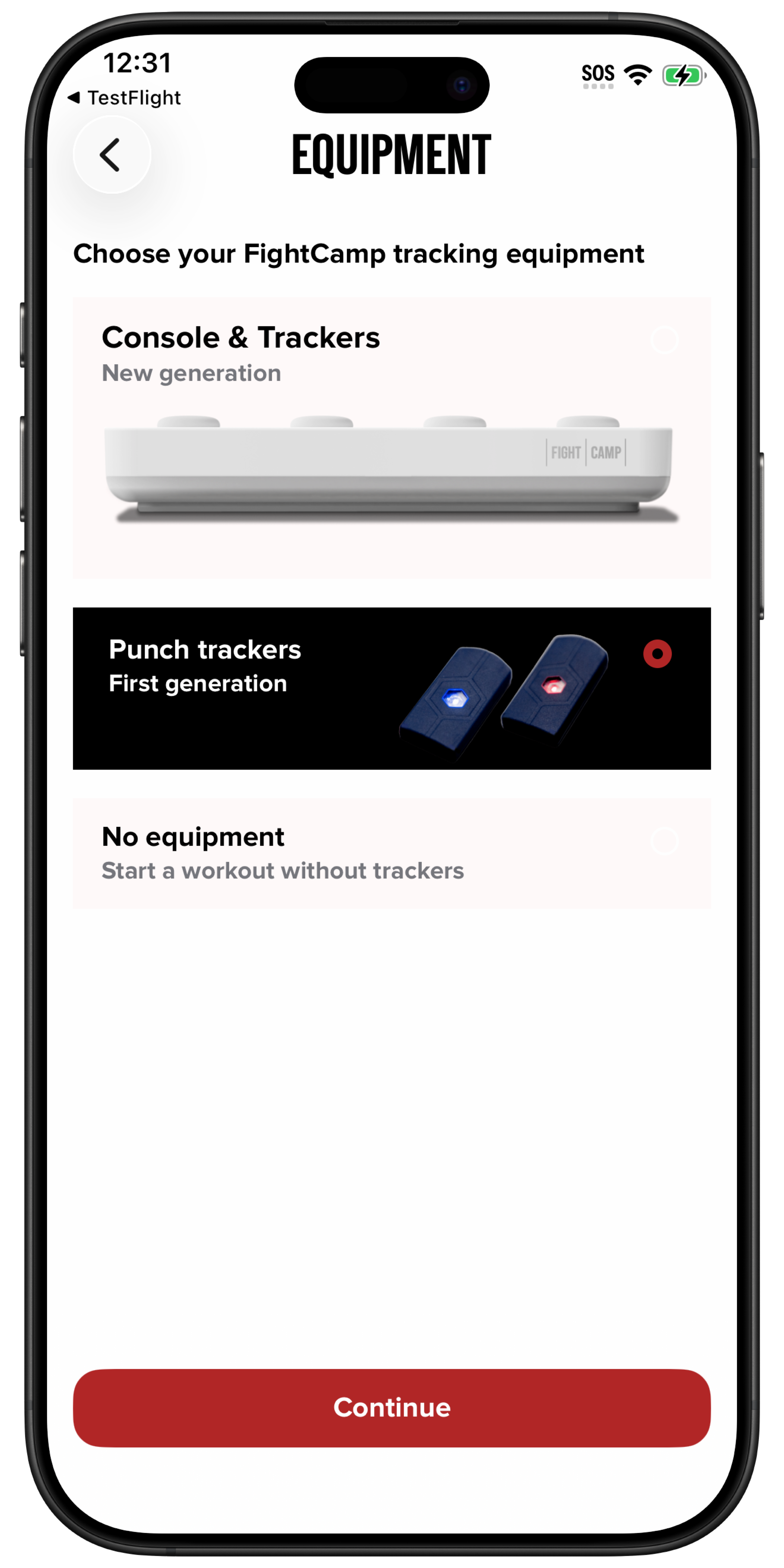
On the Equipment screen, select First Generation Trackers and tap Continue.
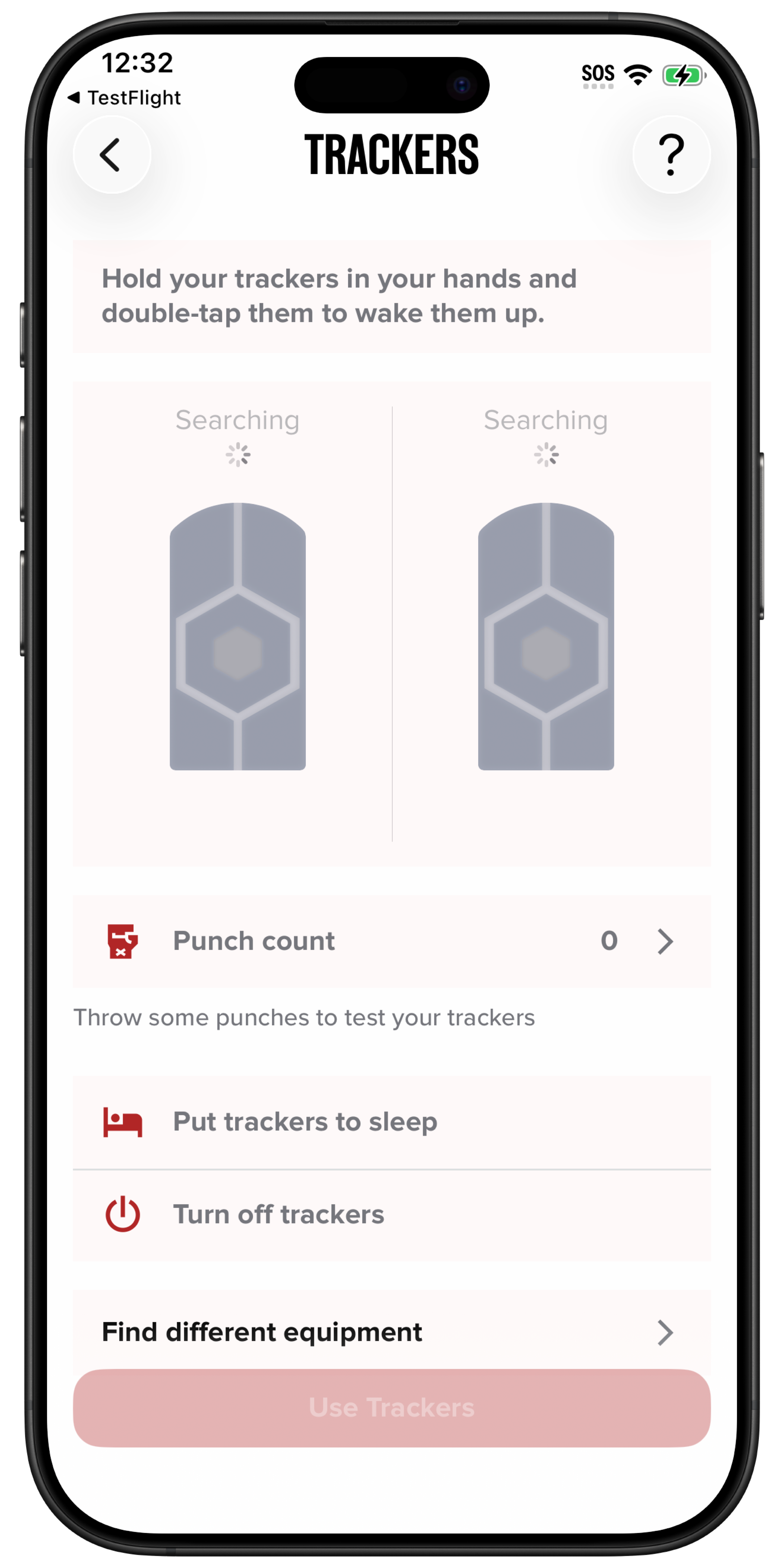
Remove the trackers from the charging dock and place them in the palm of one hand, with the LED light facing up. Firmly clap the trackers together multiple times to wake them.
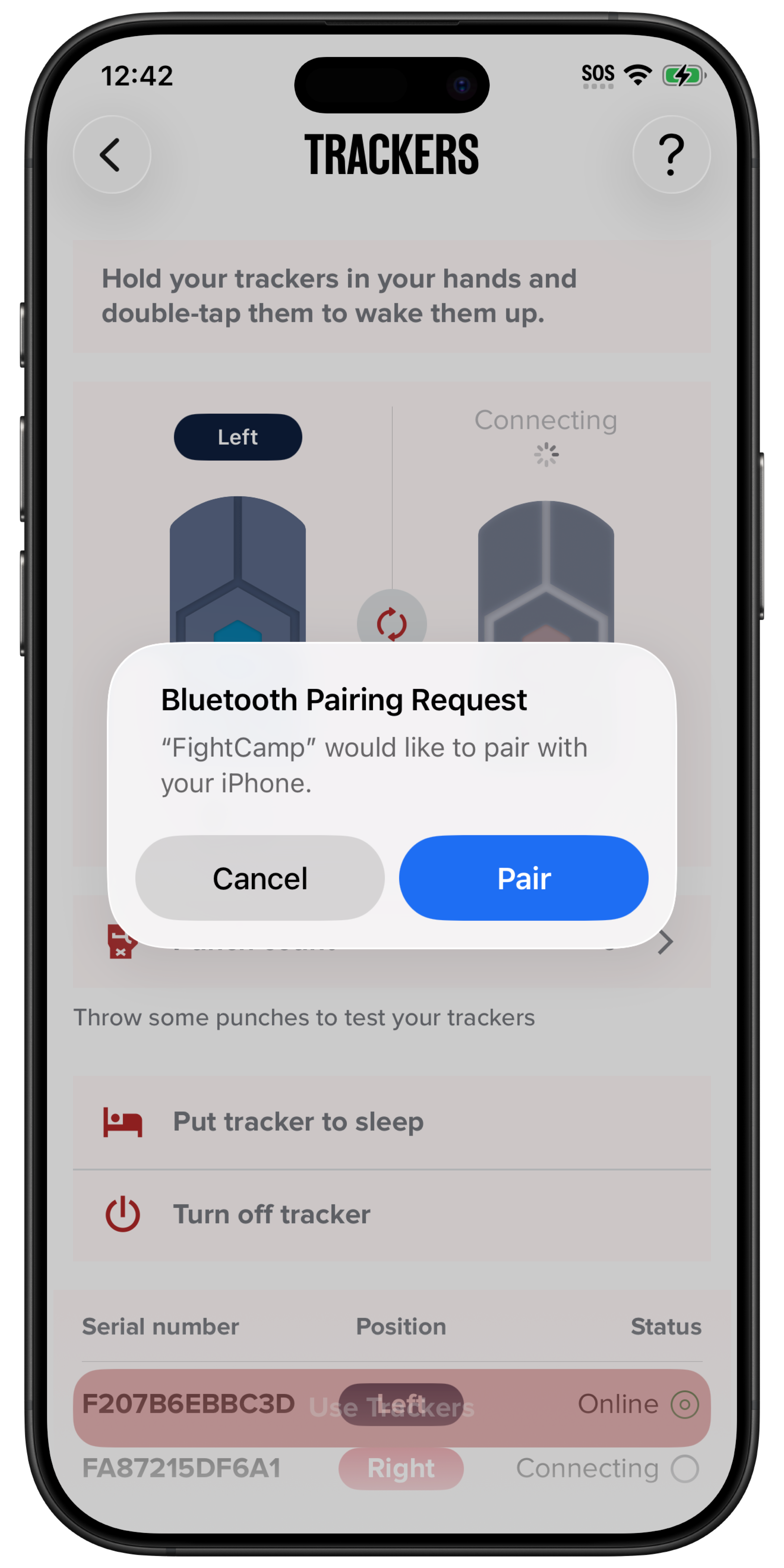
On your device, accept both Bluetooth pairing requests.
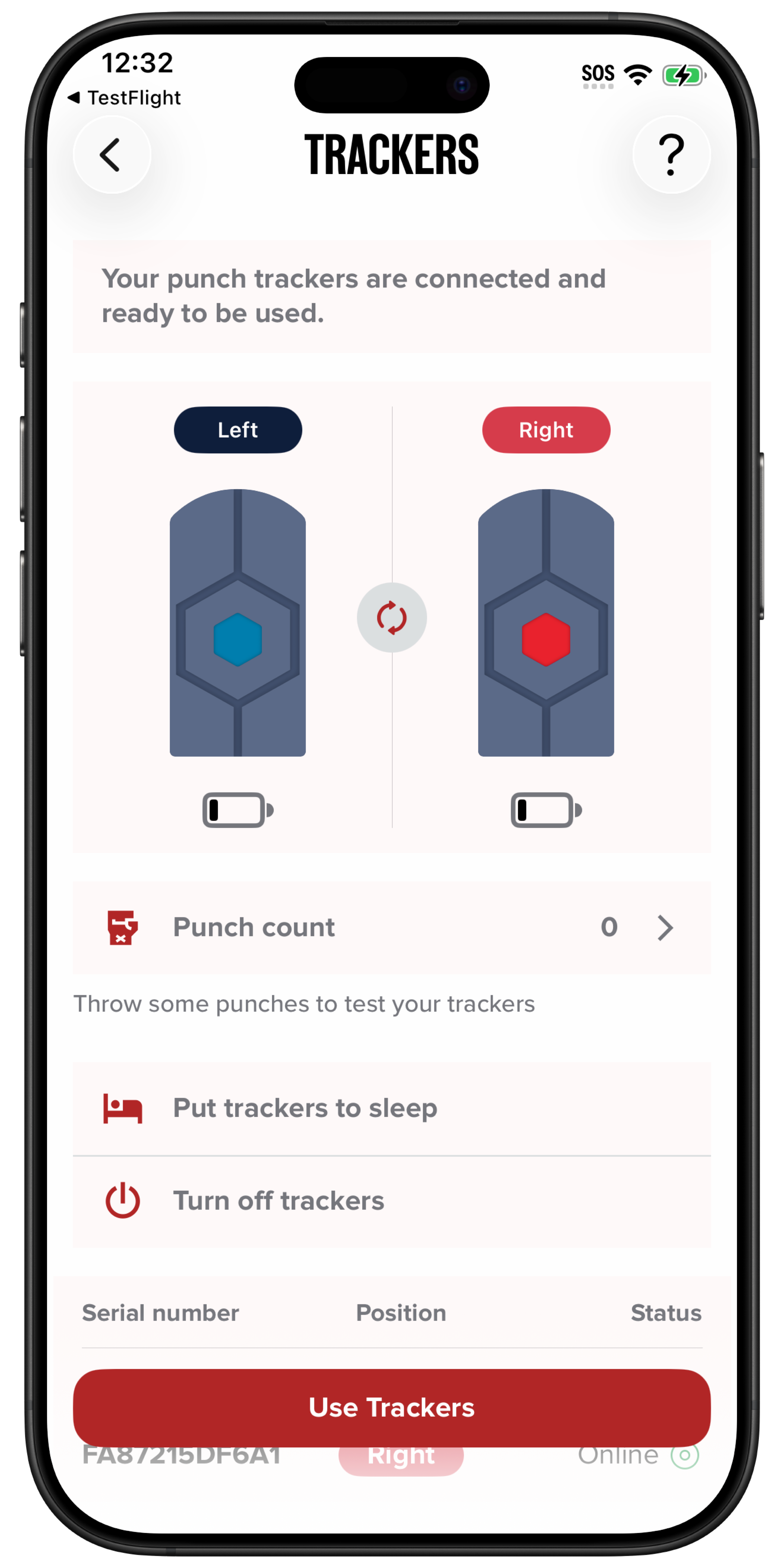
The trackers will now slowly blink red and blue and appear as connected in the FightCamp app.
Instructions for Android & Legacy iOS App
THIS ARTICLE IF FOR FIGHTCAMP 1ST GENERATION TRACKERS ONLY.
Settings Check:
Download the most recent version of the FightCamp App.
Make sure that your Bluetooth is on your mobile device and FightCamp has bluetooth permission granted.
Connecting/ Pairing the Trackers:
Make sure your tracker are charged. We recommend checking the charge by plugging them in before trying to connect them.
Open the FightCamp app.
Go to the Punch Tracker Menu:
Select your Workout
Select FightCamp Trackers- 1st Generation
Next
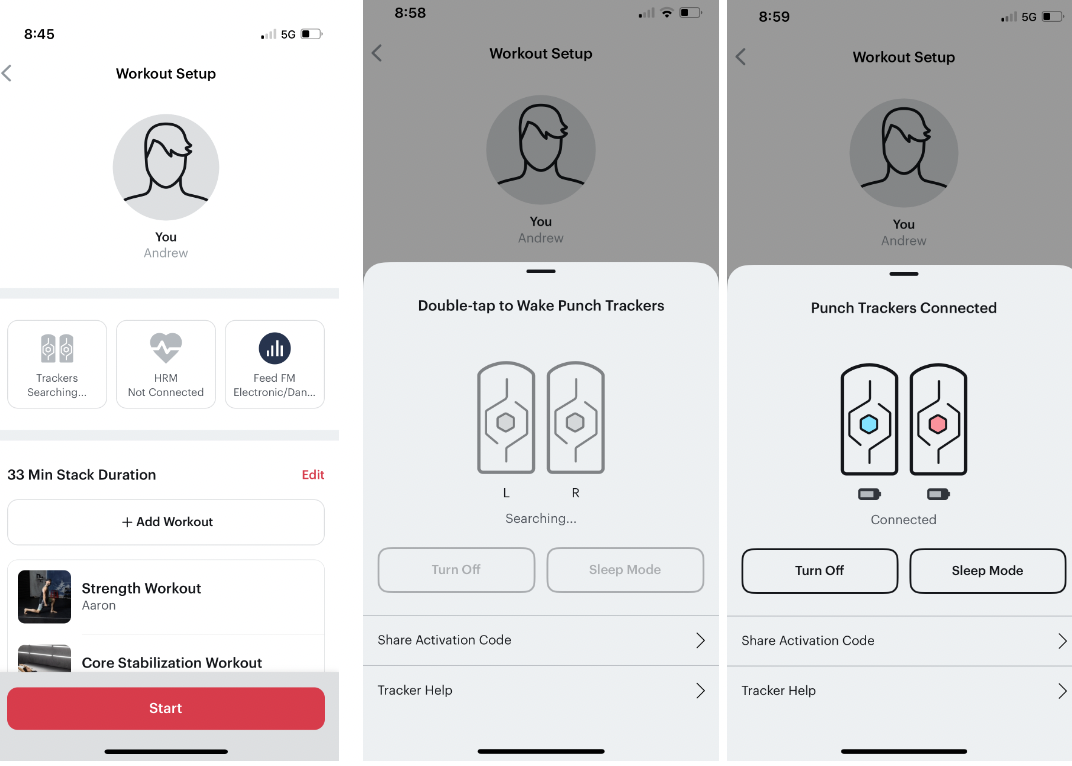
Select Tracker Searching
Take the trackers out of the charging unit and place them in the palm of one hand, with the LED light facing up. Firmly clap down multiple times on the trackers to wake them.
On your device accept both Bluetooth “Pair” Requests. Android users: Accept location and Bluetooth requests.
The trackers will now slowly blink, red and blue, and show as connected in the “Punch Tracker” Menu.
*location permissions are mandatory to work with Bluetooth devices. Bluetooth connectivity will not function properly without allowing location permissions.