Play music while you workout
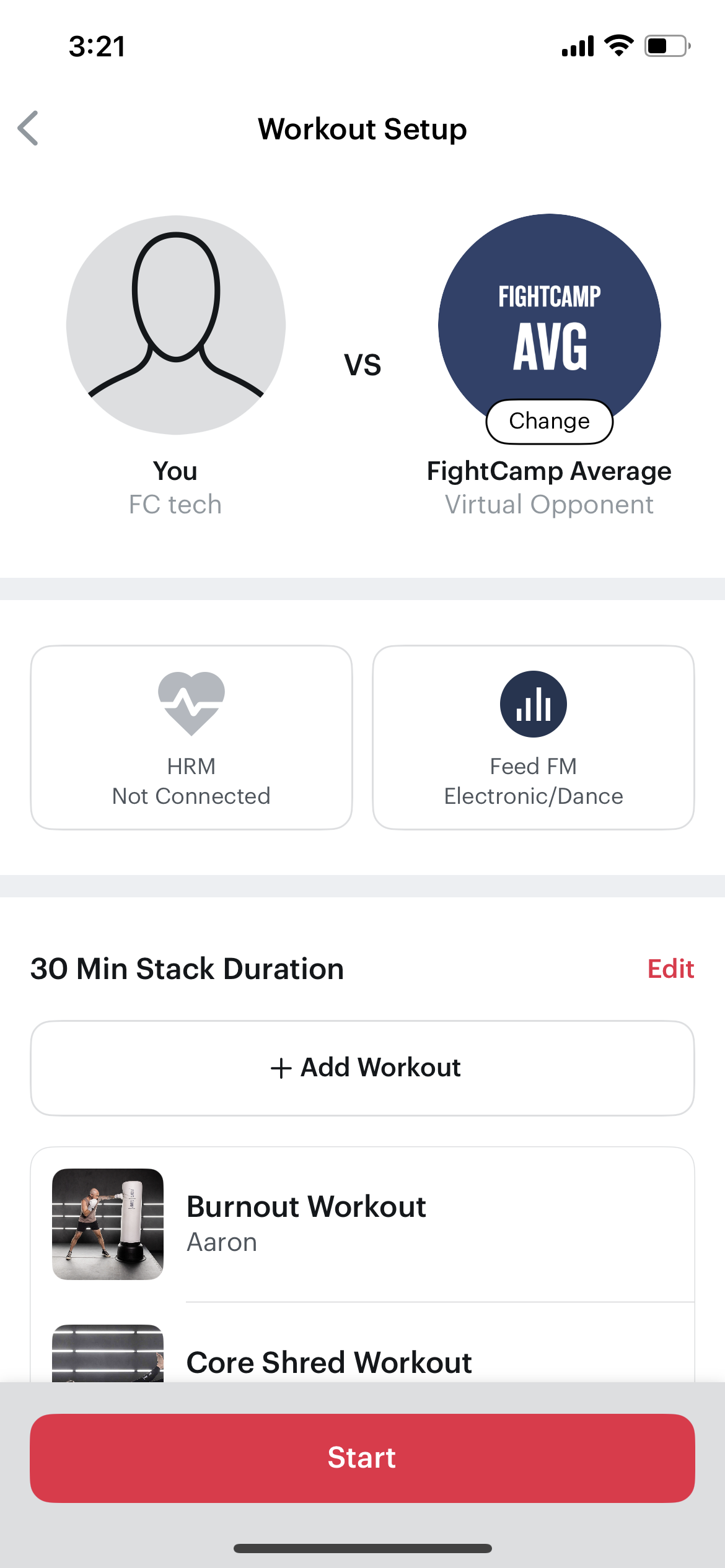
Set up the music you want to listen to in our Workout Setup screen before your workout!
Directions for The New FightCamp Experience - Console and Trackers
In the workout Set Up Screen, Select Feed FM and toggle to the station you want to listen to.
Our current station offerings include:
Electronic/ Dance
Rock
Top 40 Hits
2000's Pop
Pop Remixes
Throwback Hip-Hop
And more
You can also use an external bluetooth speaker to play your own music while you workout.
** DIRECTIONS FOR FIGHTCAMP TRACKERS ( First Generation)** Below are the steps to walk you through streaming the music of your choice during a workout!
Go into the FightCamp app, and select the workout that you’d like to do
Select "Next"
From the workout controls/setup, select "Music"
If you’d like to choose your own music, you will select the “Music Apps”icon. This will open up the music apps that you have installed on your device.
Select the Music App you want to use, choose your playlist and start your music.
Track back to the workout screen and start your workout.
FightCamp claims no association, affiliation, or endorsement by any third party whose name may be identified or described in our materials or services.