Streaming music during workouts
Note: This guide is for the new iOS app (v.7+). Click here for Android & Legacy iOS versions.
Below are the steps to help you stream the music of your choice during a workout:
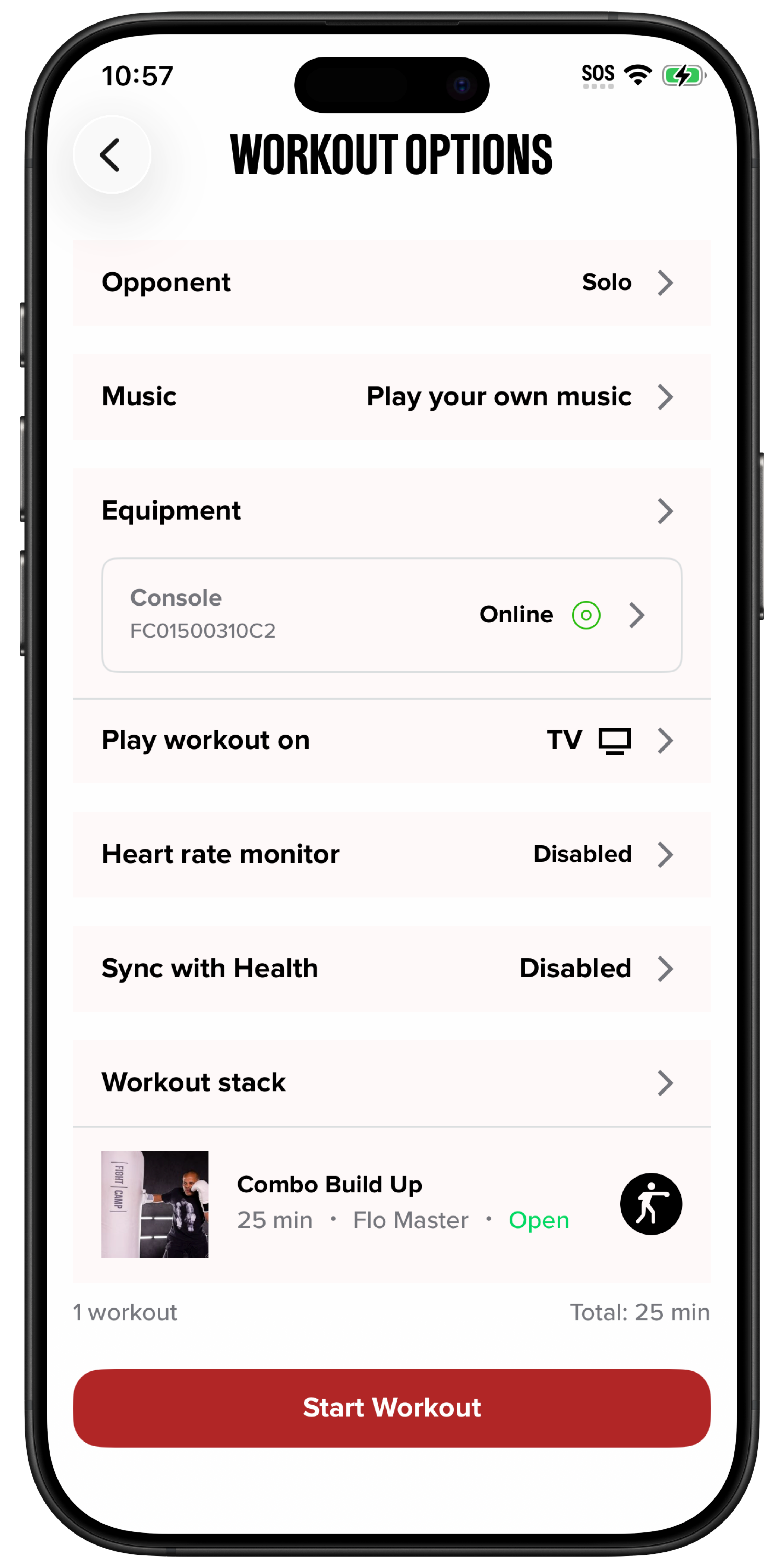
Open the FightCamp app and select the workout you’d like to do.
On the Workout Options screen, tap the Music section.
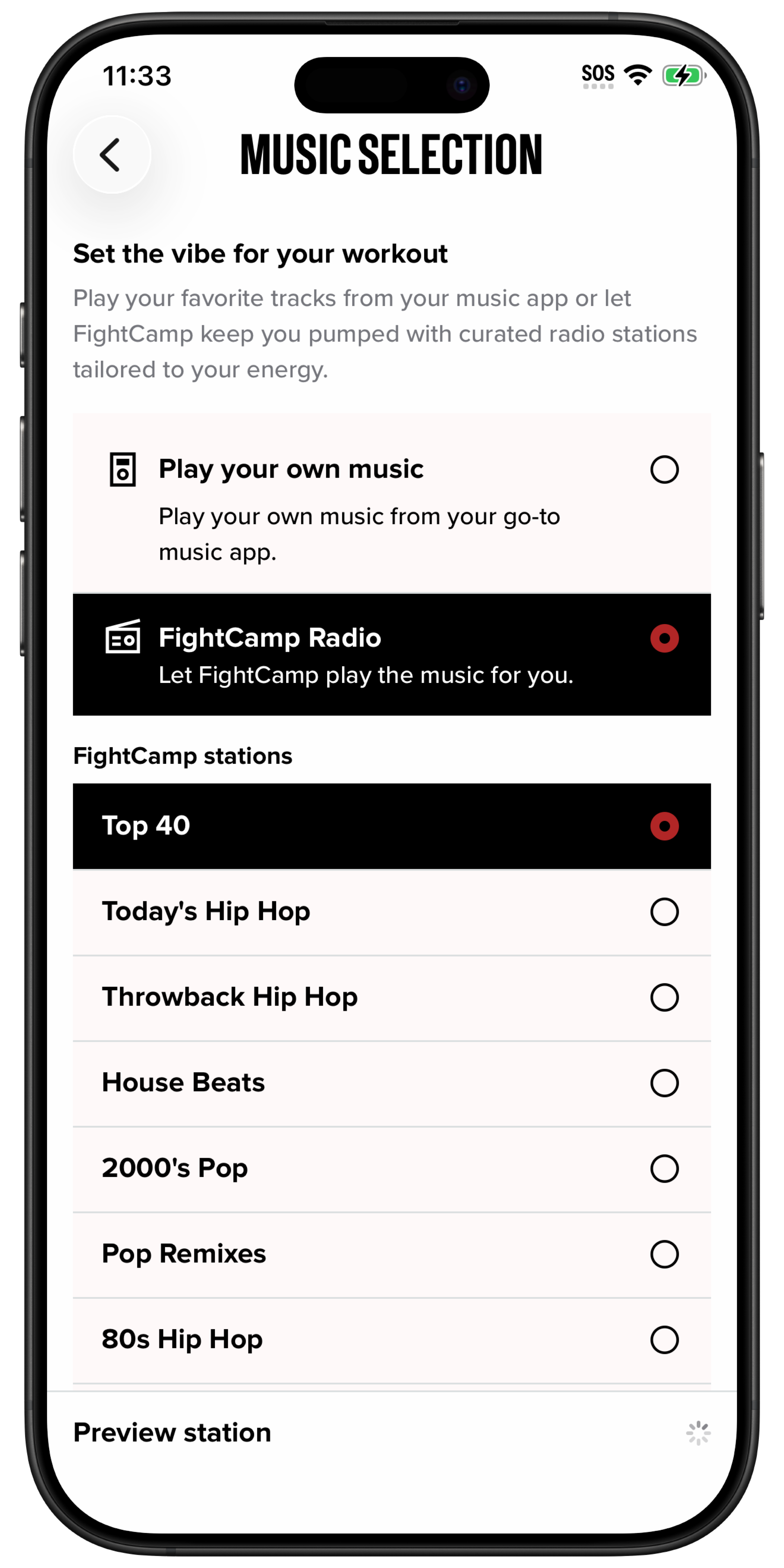
The Music Selection screen will open, where you can choose FightCamp Radio or Music Apps.
To use your own music, select the “Play your own music” option.
Choose your preferred music app, select a playlist, and start playback.
Return to the workout screen and start your workout.
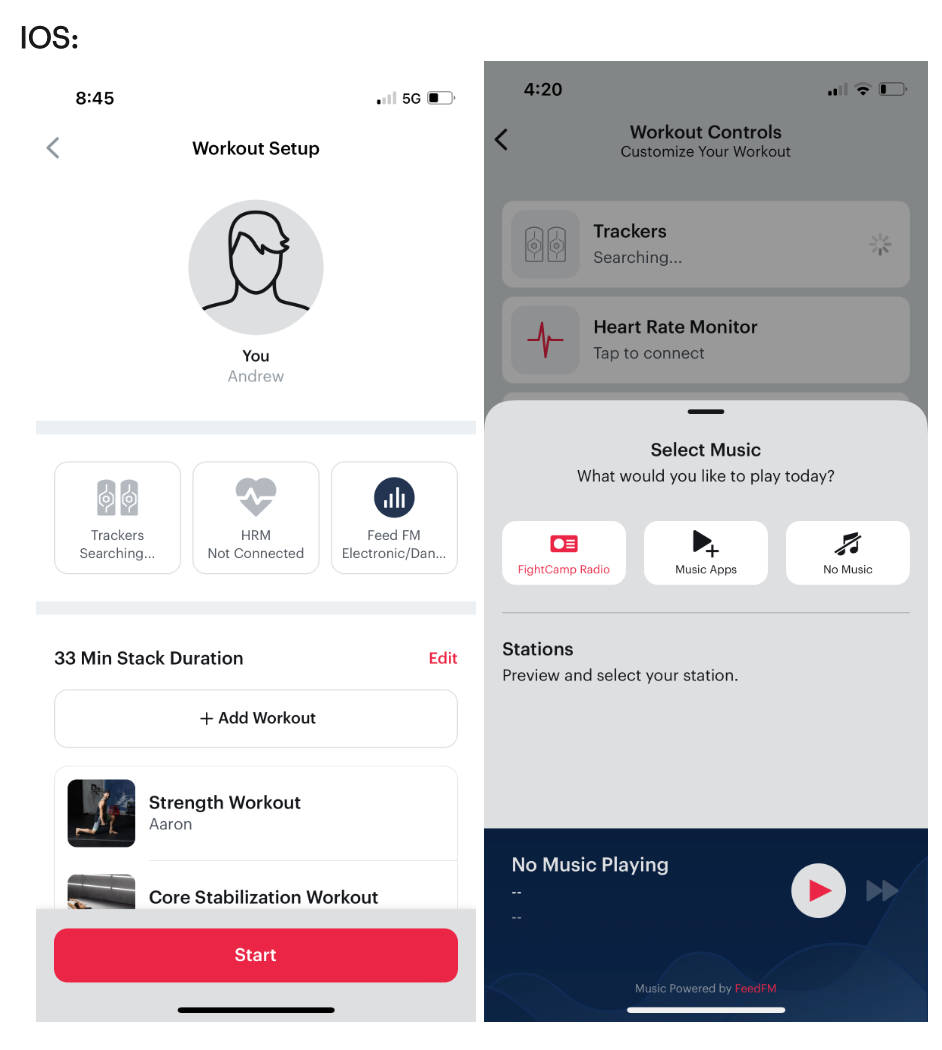
Instructions for Android & Legacy iOS App
Below are the steps to walk you through streaming the music of your choice during a workout!
Go into the FightCamp app, and select the workout that you’d like to do.
Select "Next"
From the Workout Controls /Set Up - Select "Music"
The Music Drawer will open and you’ll have the option to choose FightCamp Radio, Music Apps or no music at all.
If you’d like to choose your own music, you will select the “Music Apps”icon. This will open up the music apps that you have installed on your device.
Select the Music App you want to use, choose your playlist and start your music.
Track back to the workout screen and start your workout.