Connecting the Console to Internet
Note: This guide is for the new iOS app (v.7+). Click here for Android & Legacy iOS versions.
The FightCamp Console must be connected to the internet to play workouts on your TV. You can connect the console using either Wi-Fi or an Ethernet cable.
Wi-Fi:
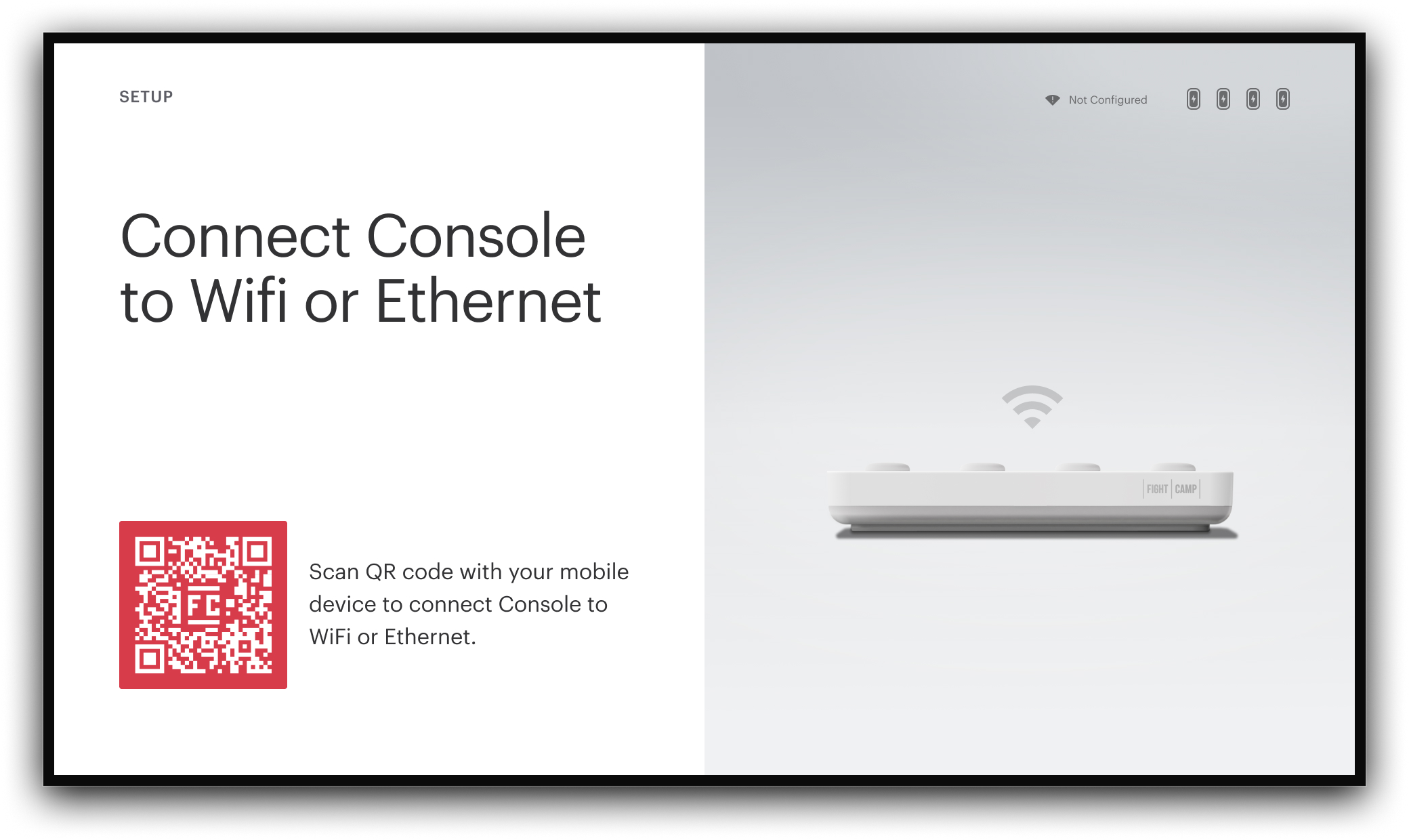
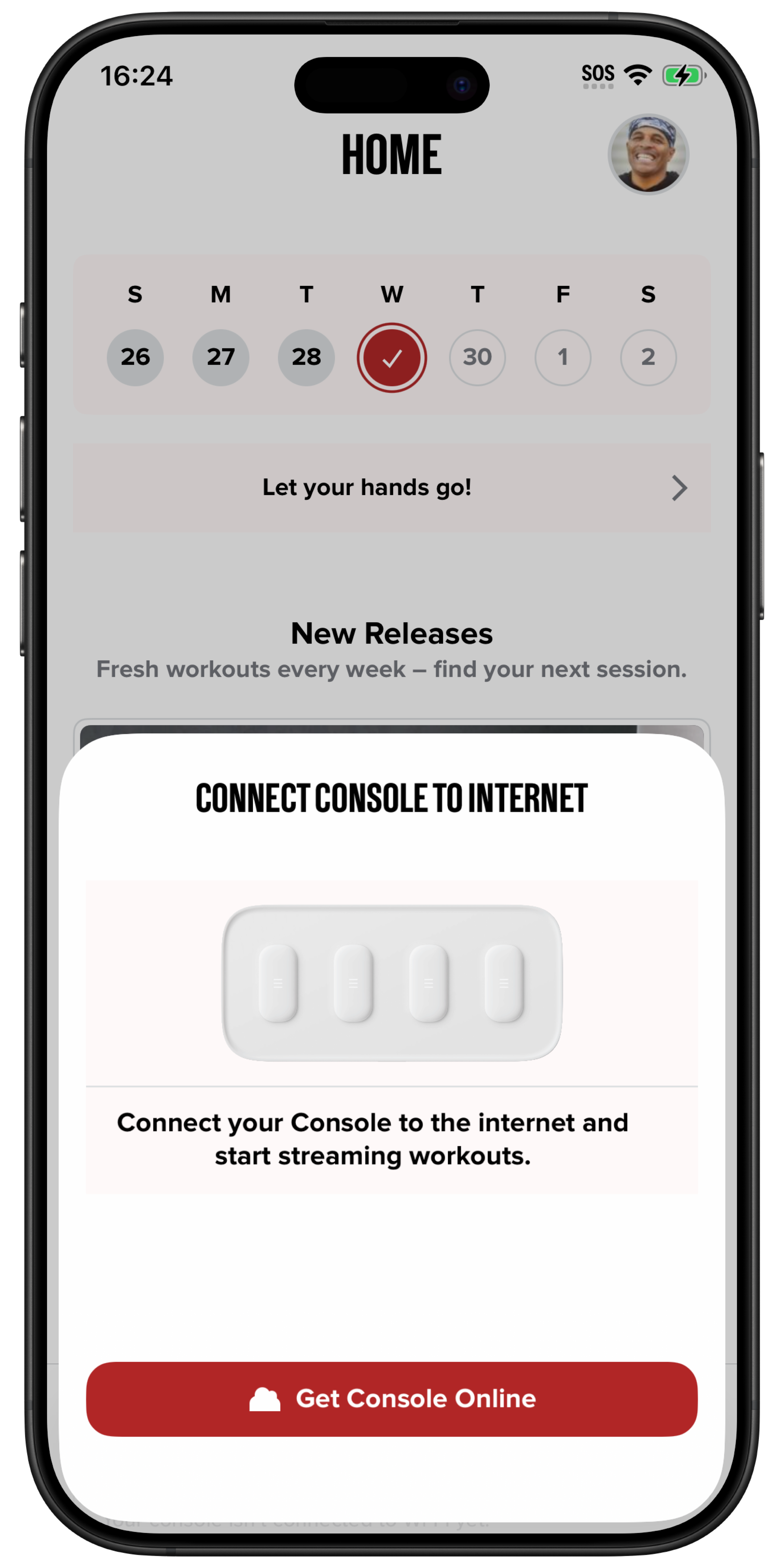
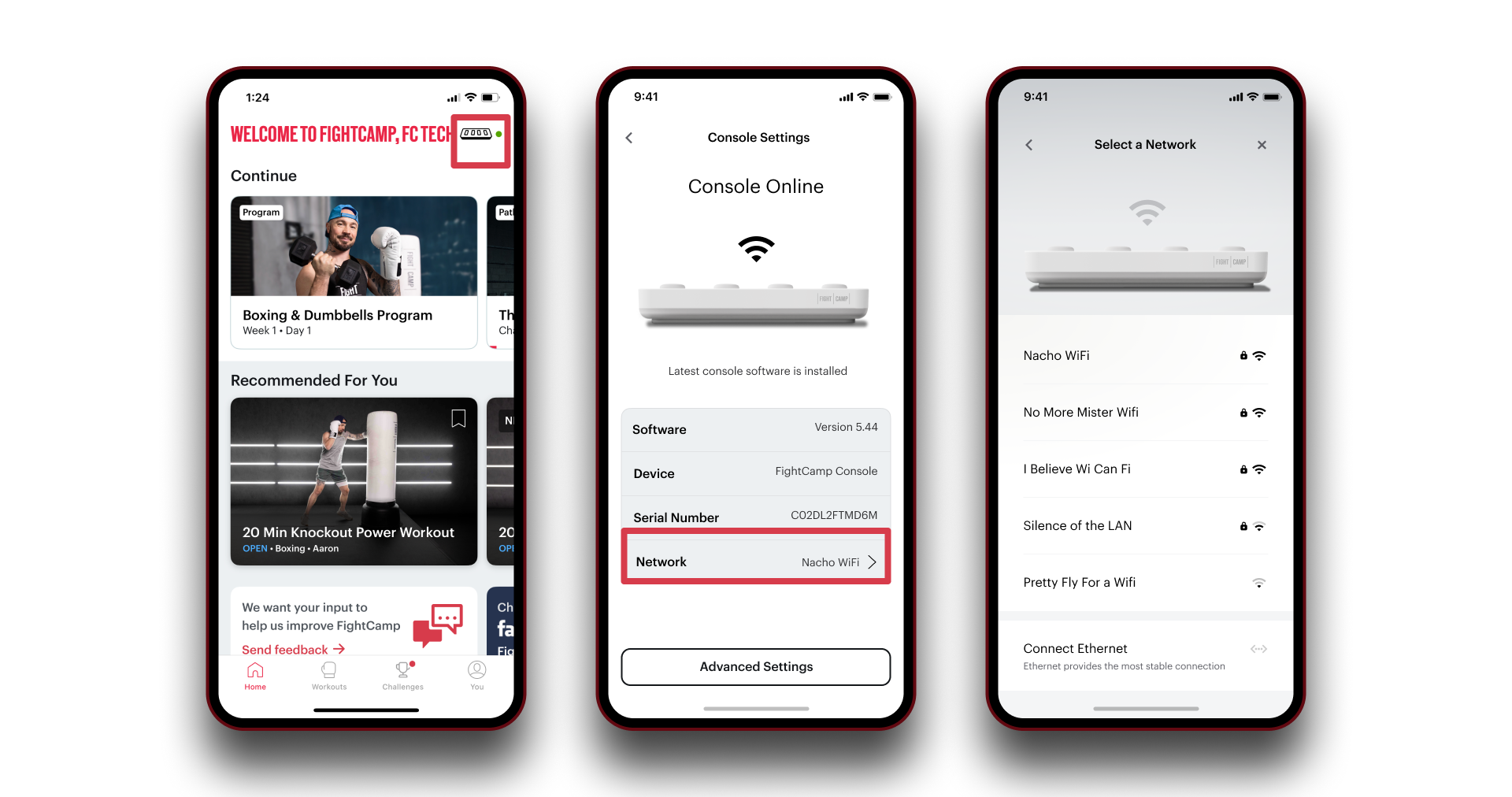
When you open the FightCamp app on your mobile device and connect to the console for the first time, you will be prompted to connect it to the internet. You can also scan the QR code displayed on your TV labeled “Connect Console to Wi-Fi or Ethernet.”
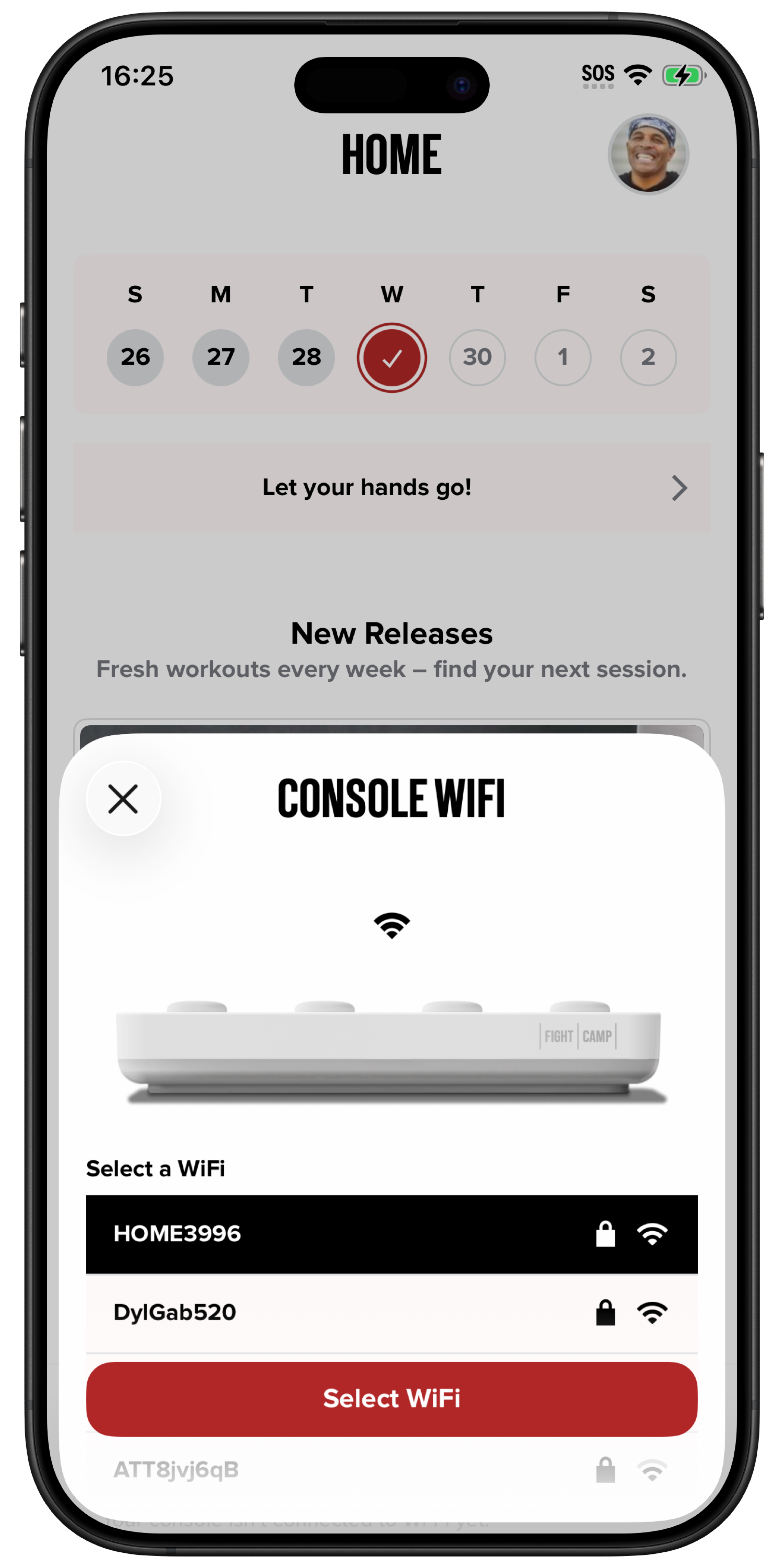
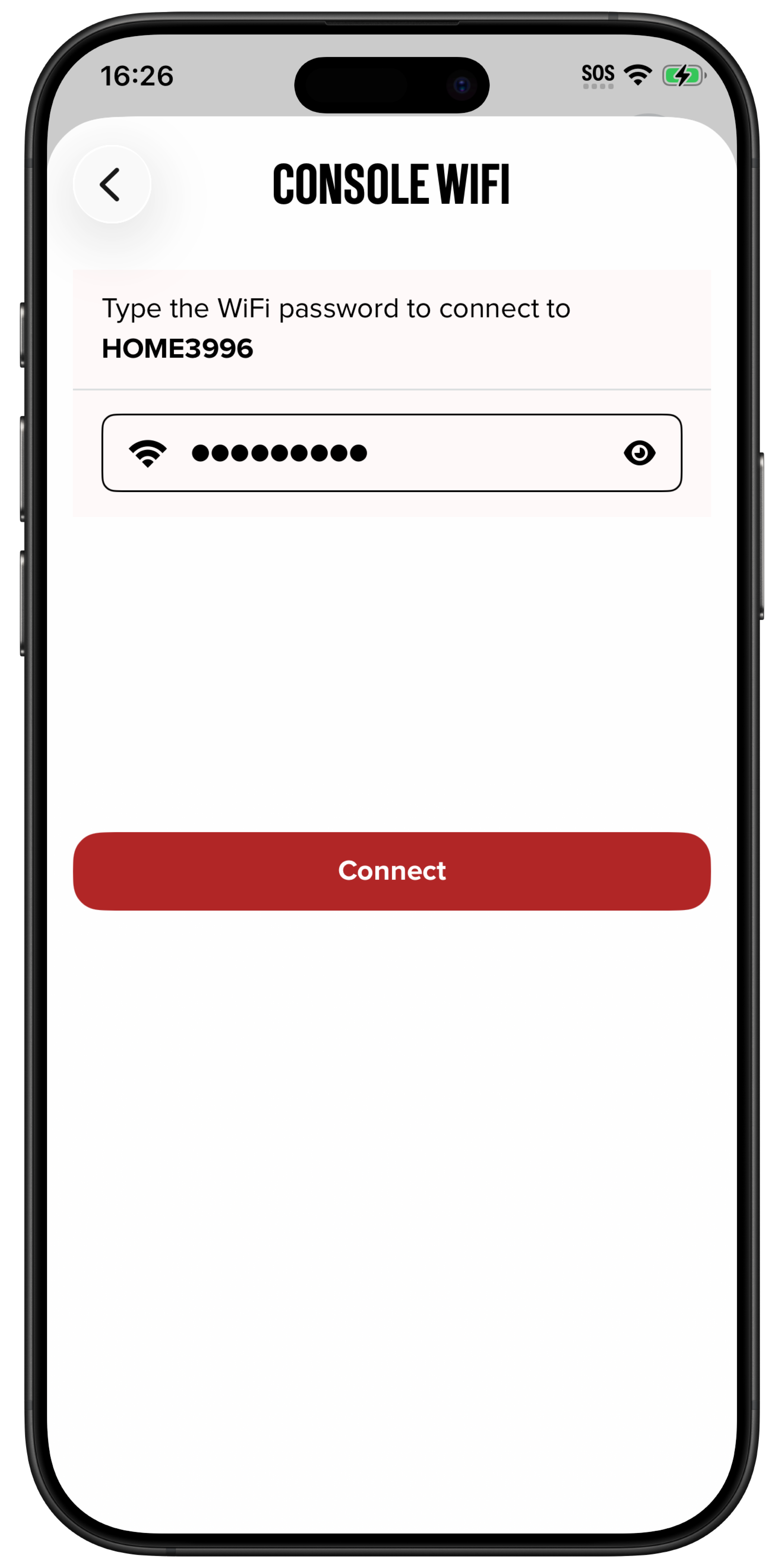
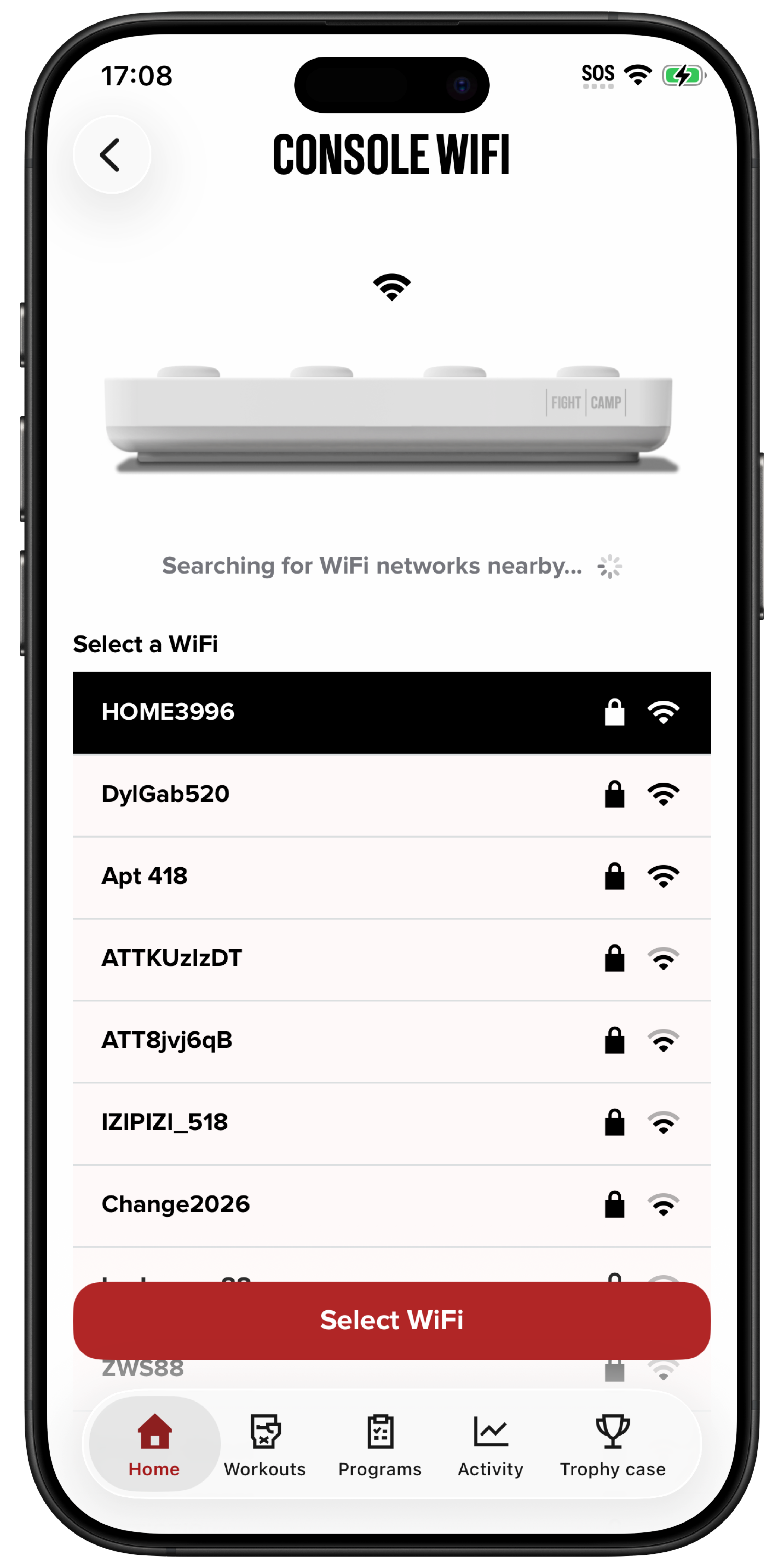
Select your Wi-Fi network, enter the password, and tap Connect.
.
Ethernet:
You can connect your console directly to your router using an Ethernet cable. It may take up to 30 seconds for the console to connect to the internet.
Mobile Hotspot:
You can also use your phone or tablet as a mobile hotspot and connect your console to it.
Check Internet Connection:
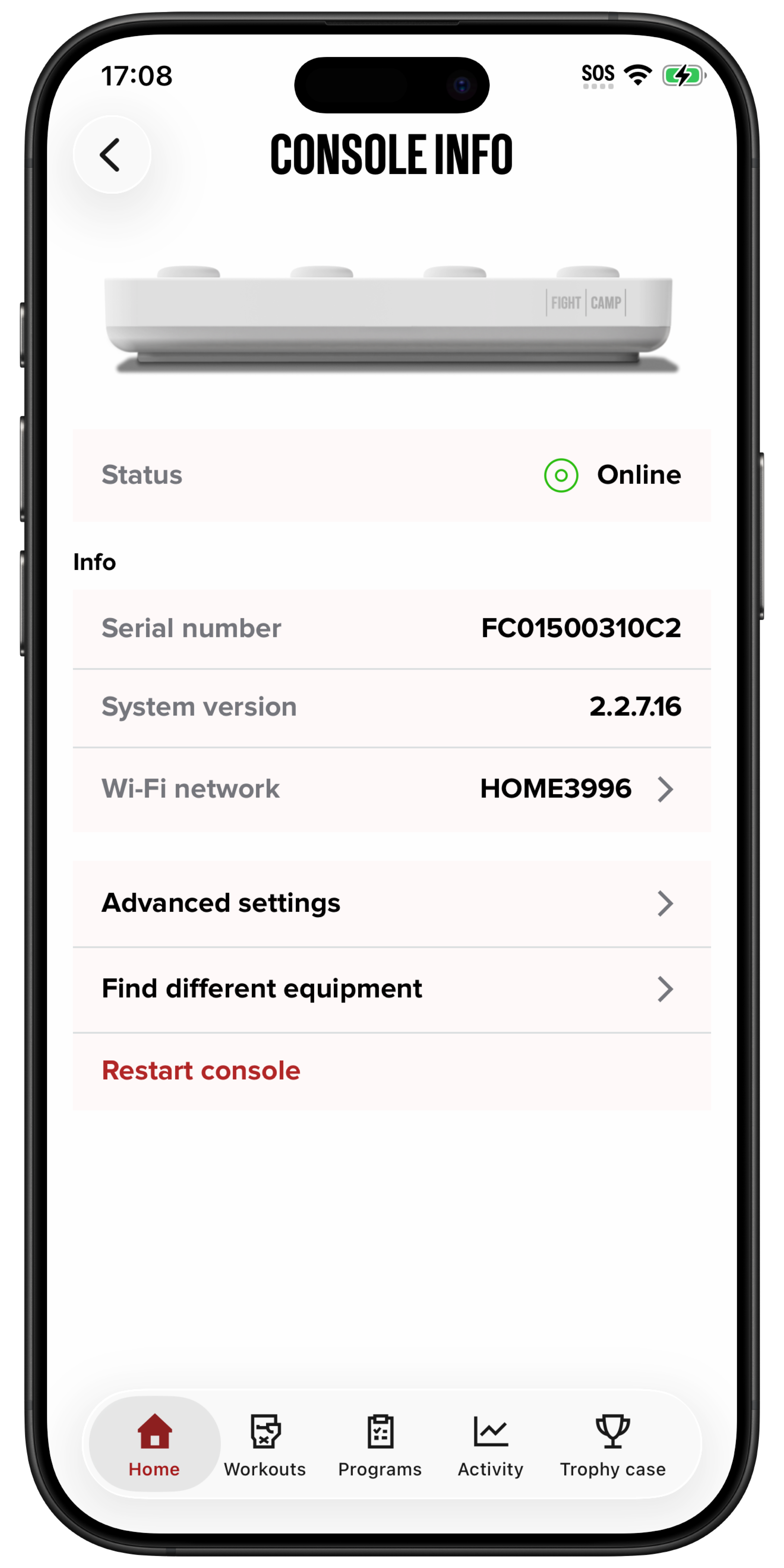
You can check your console’s internet connection at any time in the Console Settings menu:
Home Screen > Console Connection > Console Info > Wi-Fi Network
To connect to a different Wi-Fi:
Select your Wi-Fi network
Enter the password
Tap Connect
.
Instructions for Android & Legacy iOS App
The FightCamp Console must be connected to the internet to play workouts on your TV.
You can either use a WIFI connection or an Ethernet cable to connect the console to the internet.
WIFI:
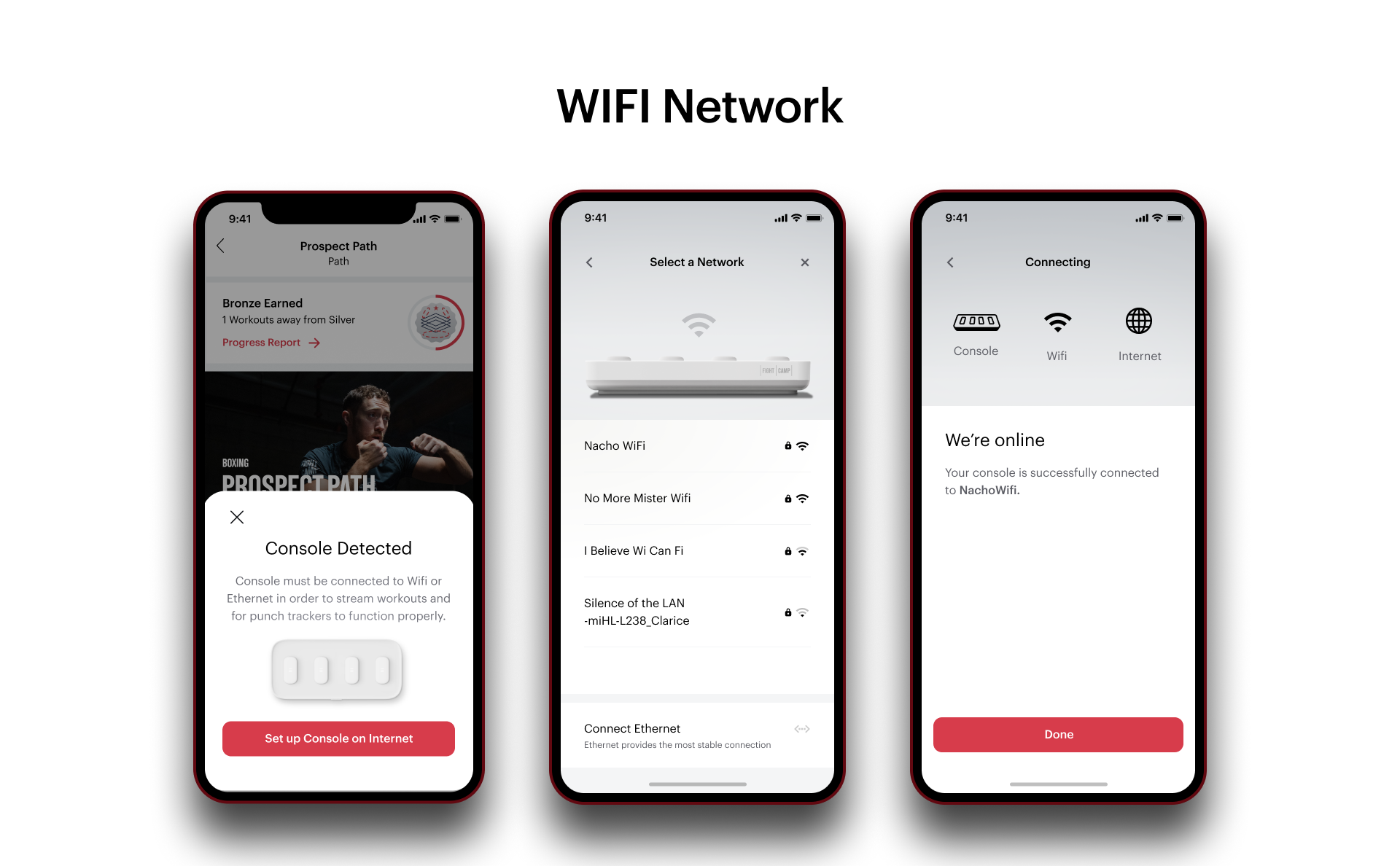
When you open the FightCamp App on your mobile device select *Connect Console to Internet *and choose your WIFI Network. You can also scan the bar code on your TV that says Connect Console to Wifi or Ethernet.
**
**
ETHERNET:
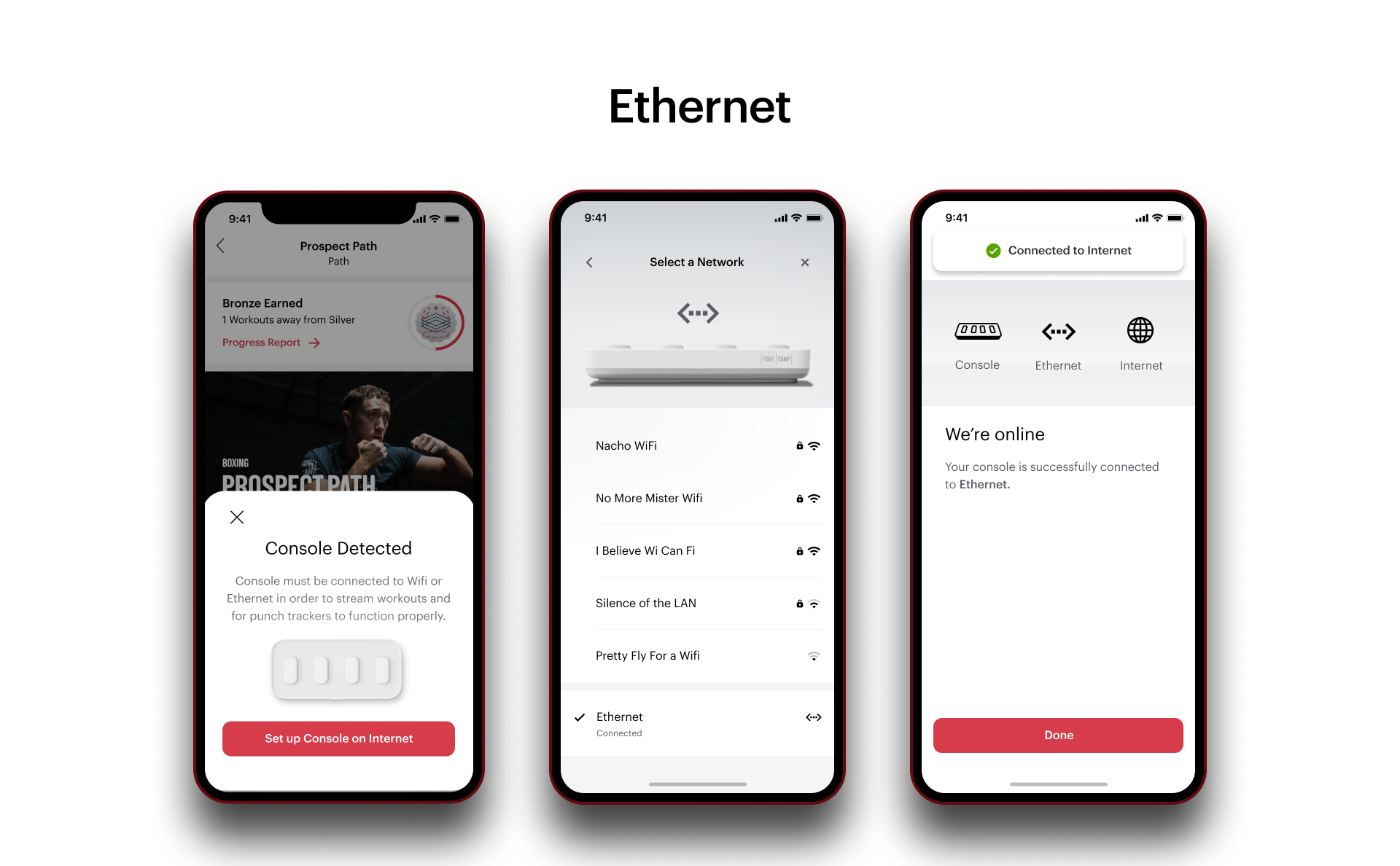
You can connect your console directly to your router using an Ethernet Cable. When you choose your internet connection in Network Settings select Ethernet. It may take up to 30 seconds for your console to connect to the internet with an ethernet cable.
Once your console is connected you will see the Ethernet symbol on your console setting page.
Mobile Hot Spot: You can also use your Phone/Tablet as a mobile hotspot and connect your console to.
Check Internet Connection:
You can always check the internet connection of your console in the Console Setting Menu of the FightCamp App.
You >>>Setting Cog>>>Console Setting OR
Select the Console Button in the upper right-hand corner of the home screen.
Related Articles: